logo
المنتجات
إقتباس
المنتجات
المنتجات
المنتجات
المنزل > المنتجات > شفرة تنظيف الأسطوانة > Imported Charge Cleaning Blade for Ricoh MPC3003 C3503 C4503 C5503 C6003 Copier Cleaning Blade
catagories
الاتصالات
الاتصالات: Mr. Jessie
فاكس: 86-0757-86771039
اتصل الآن
أرسل لنا

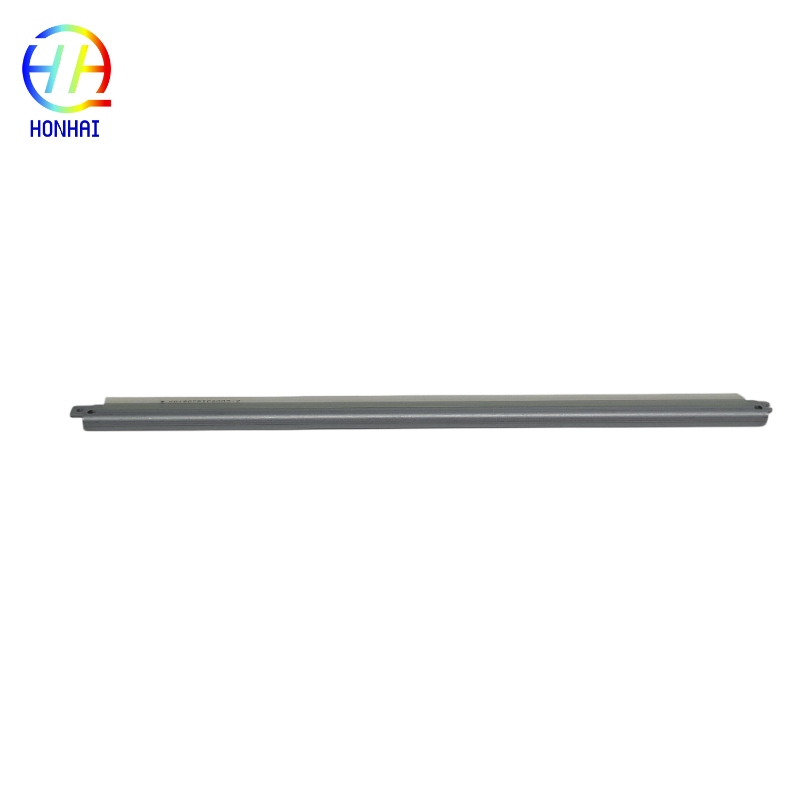
Imported Charge Cleaning Blade for Ricoh MPC3003 C3503 C4503 C5503 C6003 Copier Cleaning Blade

تفاصيل المنتج

شروط الدفع والشحن

الحد الأدنى لكمية: 10

تفاصيل التغليف: التعبئة محايدة

وقت التسليم: 3-7 أيام عمل

شروط الدفع: / تي تي، ويسترن يونيون

القدرة على العرض: 5000 قطعة / شهر

احصل على أفضل سعر
إبراز:

Ricoh copier cleaning blade

,

Imported toner cartridge blade

,

MPC3003 compatible cleaning blade

Imported Charge Cleaning Blade for Ricoh MPC3003 C3503 C4503 C5503 C6003 Copier Cleaning Blade

The high-quality imported charge cleaning blade provides users with crystal clear print quality when used in conjunction with your Ricoh multifunction printer. This cleaning blade is designed to act as a meticulous cleaning crew for the drum unit within your copier by removing leftover and residual toner as well as any charge from the photoconductor drum after each printing cycle.

Cleaning blades can become worn down, micro-cracked, or even lose their elasticity over time, which will cause you to have print defects such as heavy background graying (fogging), ghosting, blurred text, and dirty margins in your printed documents. Our premium imported replacement cleaning blade is manufactured to perfectly fit Ricoh's C3003/C3503/C4503/C5503/C6003 Printing Series, so you will no longer face these print quality issues, and you will provide your customers with crisp, clean, and professional prints every time you print.

Product Specifications:
  • Part Name: Charge Cleaning Blade / Drum Cleaning Blade
  • Condition: Brand New (High-Quality Imported)
  • Compatible Printer Models:
    • Ricoh MP C3003 / C3503 / C4503 / C5503 / C6003
    • Ricoh MP C3004 / C3504 / C4504 / C5504 / C6004
    • Ricoh IM C3000 / C4000 / C5000 / C6000
  • Expected Lifespan: Approximately 150,000 - 250,000 impressions (depending on print coverage and conditions).

Imported Charge Cleaning Blade for Ricoh MPC3003 C3503 C4503 C5503 C6003 Copier Cleaning Blade 0

Imported Charge Cleaning Blade for Ricoh MPC3003 C3503 C4503 C5503 C6003 Copier Cleaning Blade 1Imported Charge Cleaning Blade for Ricoh MPC3003 C3503 C4503 C5503 C6003 Copier Cleaning Blade 2Imported Charge Cleaning Blade for Ricoh MPC3003 C3503 C4503 C5503 C6003 Copier Cleaning Blade 3

Usage & Installation Notes:
  1. ⚠️ Power Safety: Always turn off the copier and disconnect the power cord before opening the machine or removing the drum unit.
  2. Handle with Extreme Care: The edge of the cleaning blade is incredibly sharp. Handle it carefully to avoid personal injury.
  3. Protect the Blade Edge: Do not touch or press the sharp rubber lip of the new blade with your fingers, as oils or nicks can compromise its cleaning ability and damage the drum.
  4. Clean the Drum Unit: Before installing the new blade, gently clean the surrounding area of the drum unit to remove any loose toner or debris.
  5. Correct Orientation: Ensure the blade is installed in the correct direction and seated firmly in its groove. An improperly installed blade will not clean effectively and may damage the drum.
  6. Test Print: After reassembling the drum unit and placing it back in the copier, print several test pages to confirm that background graying and ghosting have been eliminated.